

Five house calls
Click through the apps. For each one, watch where Claude sits, what it can see, and what it is allowed to touch. The same shape repeats five times: Claude reads what is open, works inside it, and shows you what changed before anything is final. Learn the shape once and every add-in feels familiar on first open.Chrome: the one with hands
The Microsoft add-ins read and write documents. The Chrome extension operates a browser. It clicks, types, fills forms, moves through multi-step flows, and works across several tabs at once. Ask it to do something you do every week and it can save the routine as a shortcut and rerun it on a schedule. Here it is with a real task. Notice the right side: before touching anything, Claude writes out its plan, names the site it wants to act on, and waits for approval.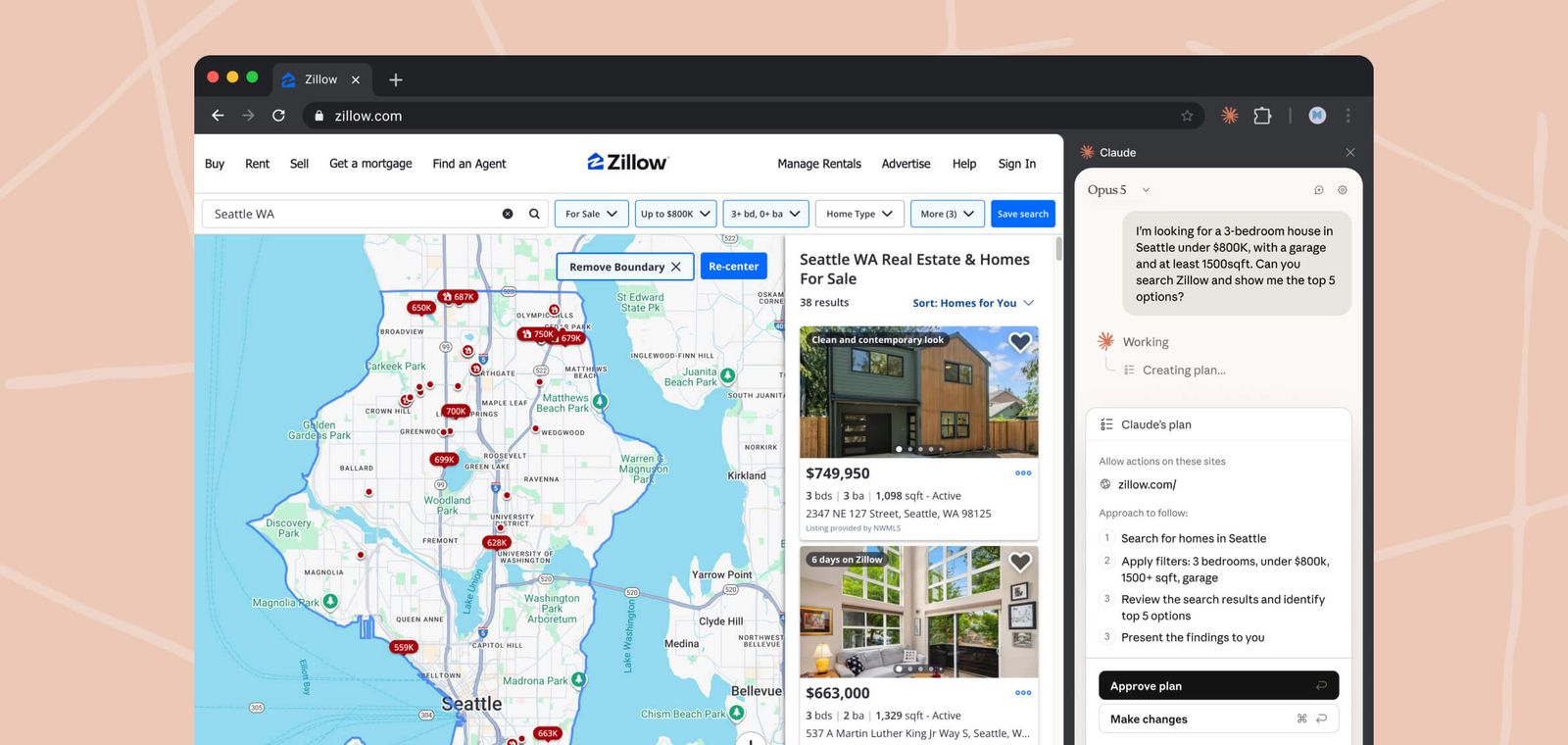
Claude in Chrome plans a Zillow search, lists every step, and asks before acting. Screenshot from Anthropic's product pages.
The approval dial
You choose how often Claude stops for permission. Three settings, one dial, and a floor the dial cannot go below. Switch between them and watch the same booking task run. The floor is not decorative. Purchases, payments, and similarly irreversible moves stop the run on every setting, and Claude cannot enter certain high-risk categories like banking at all. On Team and Enterprise plans, admins add their own walls: an org-wide switch and allowlists that pin Claude to approved sites. Two habits keep the extension safe while it is in beta. Treat unfamiliar websites like unfamiliar code, because a page can carry hidden text that tries to redirect an AI reading it, an attack called prompt injection. And keep Claude out of tabs showing things you would not paste into a chat, or use a separate browser profile for its work. Recorded shortcuts are where the extension quietly becomes infrastructure. This one checks sent mail for unanswered threads and drafts the follow-ups, on a schedule.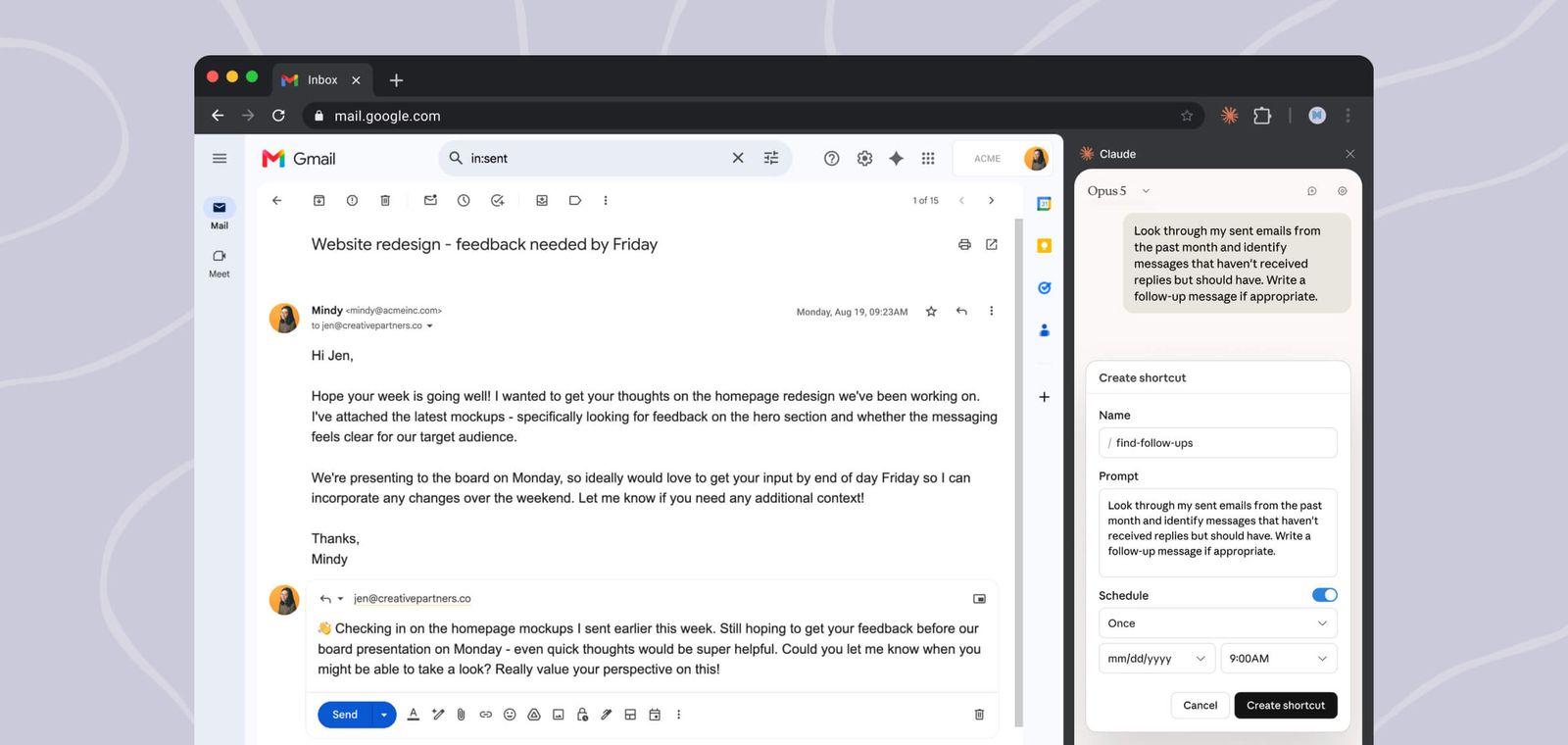
A recorded shortcut in Gmail: find sent emails that never got replies and draft follow-ups, every morning at 9. Screenshot from Anthropic's product pages.
Microsoft 365: four rooms, one memory
The Office add-ins install from Microsoft AppSource and appear as a panel inside each app. Excel, Word, and PowerPoint are generally available on every paid Claude plan. Outlook is in public beta. Here is the Outlook one at work, reading a travel thread with the reply options ready.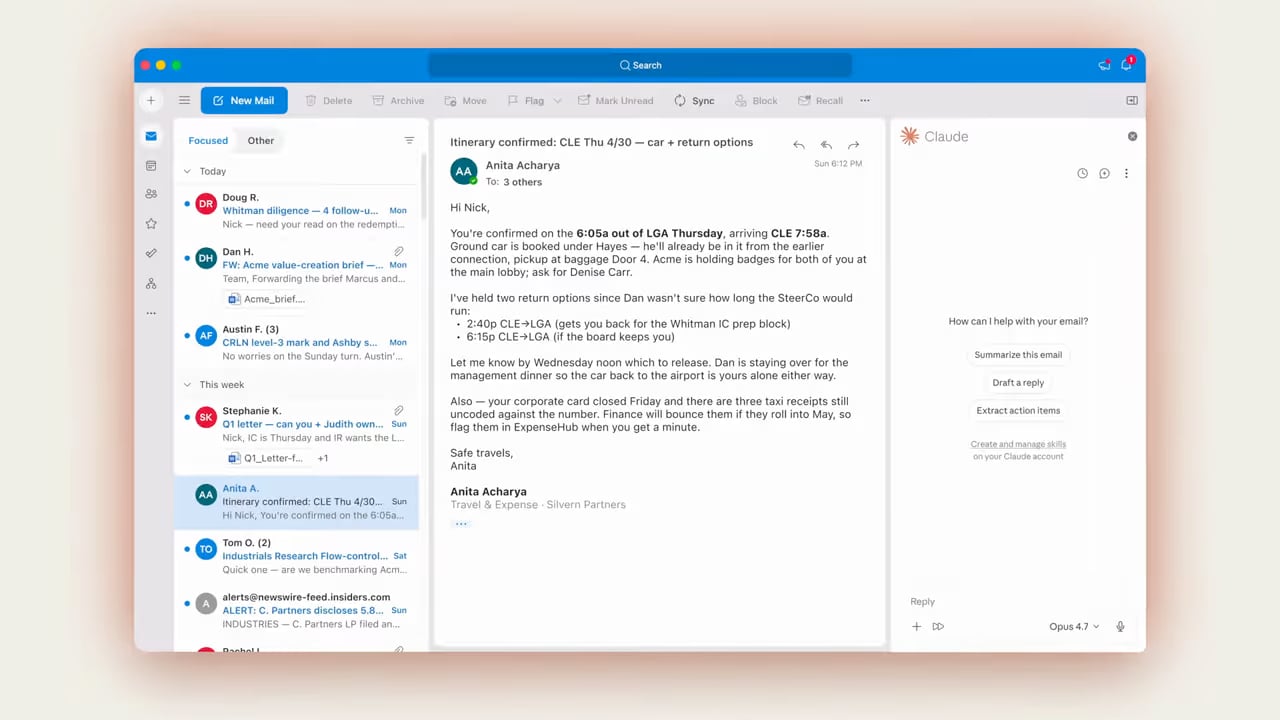
Claude for Outlook reading an itinerary thread, offering to summarize, draft a reply, or extract action items. Frame from Anthropic's Microsoft 365 product film.

A client brief lands. Claude reads the thread and the attachment.

It updates the model with the new figures, formulas intact.

It drafts the memo from the model, in your firm’s template.

It builds three slides in your deck master, charts native and editable.
Nothing lands without a receipt
The add-ins are allowed to change real files, so every one of them is built around the same bargain: Claude works, you review. Each app leaves its receipt in the interface where you already inspect the work.Answers cite the exact cells they came from. Click a citation to jump there, and confirm risky operations before they run.
Every edit is a tracked change. You accept or reject with the same buttons you already use on human coauthors.
Revisions stay native and editable inside your slide master. Review the changed slide before you finalize the deck.
Replies and invites open as drafts in the compose pane and wait. Nothing sends itself, on any setting.
The fine print
- Everything on this page needs a paid Claude plan. Pro, Max, Team, or Enterprise. None of it exists on the free tier.
- The Office add-ins need a supported Microsoft 365 desktop or web app. Perpetual-license Office 2016 and 2019 are out, and Excel works on
.xlsxand.xlsmfiles, not macros or VBA. - The Chrome extension runs in desktop Chrome only. Not other Chromium browsers, not mobile, and not available to organizations covered by HIPAA.
- On Team and Enterprise plans your admin decides whether any of this is installed at all, via the Microsoft 365 admin center for Office and an org toggle plus site allowlists for Chrome.