

Where your skills live
Skills are managed per surface, and they do not sync between surfaces. The same skill needs to be installed wherever you want it.
Two prerequisites trip people up on the web surface: code execution and file creation must be enabled, and on Enterprise plans an owner has to switch skills on in organization settings before the section even appears.
You already have skills, by the way. The document abilities that produce real PowerPoint, Excel, Word, and PDF files are Anthropic-built skills, on by default. And Anthropic publishes a public library of example skills you can borrow from or study:
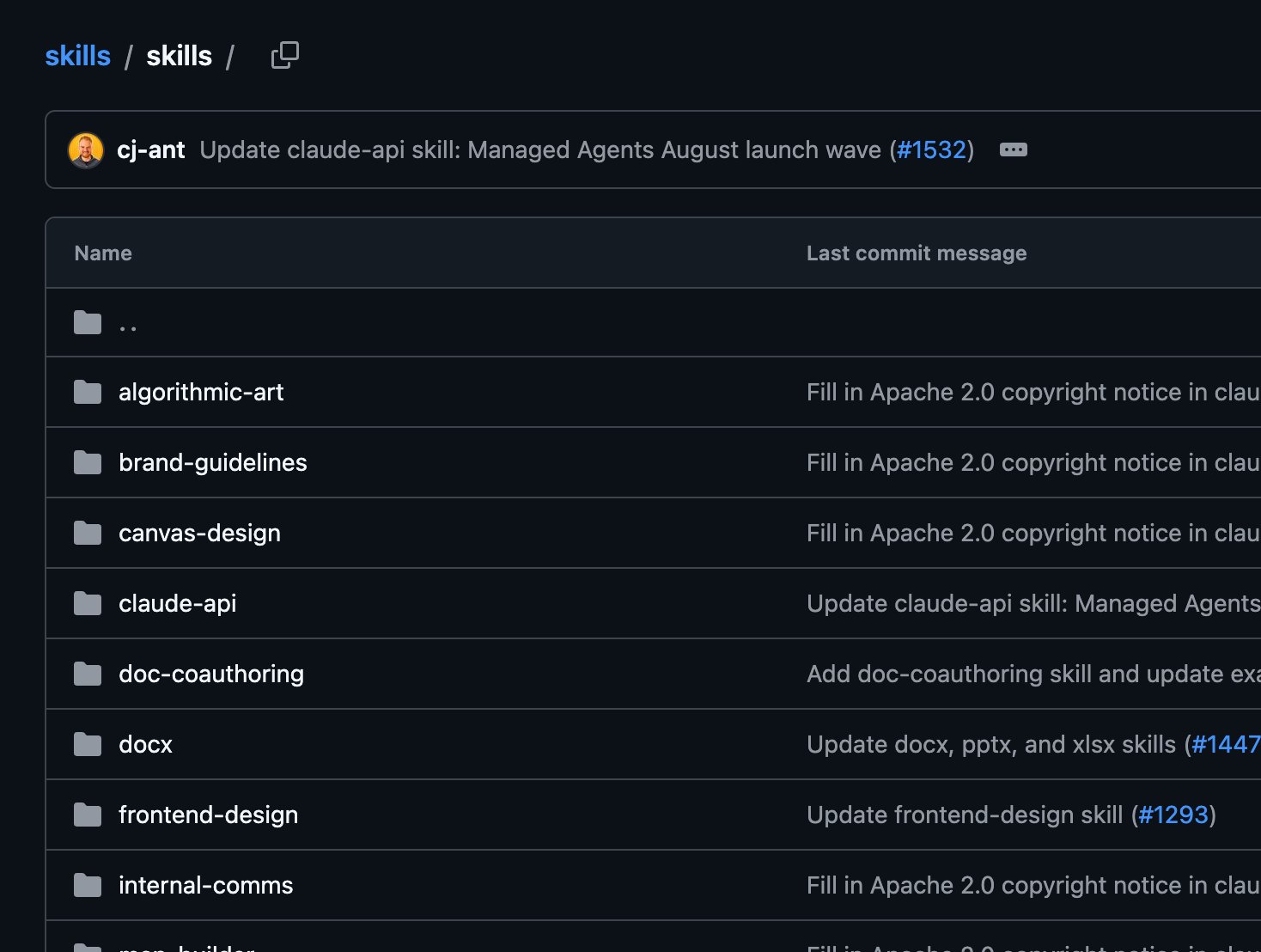
Seventeen real skills, from brand-guidelines to mcp-builder. Every one is a folder with a SKILL.md, nothing more exotic than that.
How Claude decides to fire a skill
At the start of every conversation, the name and description of each enabled skill get placed in Claude’s system prompt. Nothing else. When your message arrives, Claude reads it against those descriptions and decides whether any skill is relevant enough to open. That means the entire discovery mechanism is sentence matching. Your request either resonates with a description or it does not. Work the switchboard below to build an instinct for it: six incoming requests, five installed skills, and the live matching in between. Three behaviors worth remembering from the board:- A vague description never fires. “Helps with documents” gives Claude nothing to match against, so the skill just sits there, invisible.
- Requests that name the trigger words fire reliably. The skill authors who write “use when the user mentions X, Y, or Z” are stacking the deck on purpose.
- Two skills can both match. Claude picks the better fit and can load both if the task genuinely needs them. If two of your skills keep colliding, their descriptions are too similar.
Steering the firing yourself
Automatic discovery is the default, not the ceiling. You can always force the issue:- Name the skill in your request: “Use my brand-guidelines skill to draft this announcement.”
- In the Microsoft 365 add-ins, type
/to see available skills and pick one directly. - Ask Claude what skills it has when you are unsure what is enabled. It can read its own system prompt.
When it misbehaves
The skill never fires. Check, in order: is it toggled on, does its description say when to use it rather than only what it does, and does your request share any vocabulary with that description? If all three pass and it still sleeps, invoke it by name. The skill fires too often. The description is too broad. A skill described as “use for any writing task” will elbow into work it has no business touching. Narrow the description to the real trigger conditions. The skill fires and makes things worse. This happens when instructions in the skill contradict what you asked for in the conversation. Your live request wins in principle, but a forceful skill can drag output its way. Disable it for the session, or fix the wording.Treat installation like installing software
A skill is instructions plus, sometimes, code that runs. That is real capability, which means a malicious skill is a real risk: it can steer Claude toward actions that do not match its stated purpose, or exfiltrate what it can reach. The rules are the same as for any software: install from sources you trust, and read what you install. Open theSKILL.md, skim any scripts, and be suspicious of anything that fetches from external URLs. On Enterprise plans with skill scanning enabled, uploads are checked for malicious content before they can run, which is a floor, not a substitute for judgment.
Try it on your own account
- Open Customize then Skills and read what is already enabled. Most people find skills they never knew were on.
- Pick one enabled skill and write a request designed to fire it. Then write a near-miss request that should not fire it. Check both guesses.
- Ask Claude directly: “Which of your skills would you use for [a real task from your week], and why?” The answer shows you the matching logic from the inside.
Management flows from the Claude Help Center. Discovery mechanics and security guidance from the Agent Skills documentation. Example skills at anthropics/skills.