

Run the same Monday twice
Every Monday you send leadership a competitor brief. Here are four of those Mondays, twice: once in loose one-off chats, once inside a project. Switch between the two and step through the weeks. The loose chats never improved, because nothing carried over. The project never asked you to repeat yourself, and by the fourth Monday the workspace knew the job well enough that you were optional. That gap is not a productivity trick. It is the difference between renting Claude by the hour and building equipment your team owns.What lives inside a project
One projectEverything below travels together
Instructions
A standing brief that shapes every chat here. Tone, role, rules, written once.
Knowledge
Files Claude consults before answering: guides, specs, pricing, a decisions log.
Chats
Every conversation for this work, in one place, each one starting fully briefed.
Memory
Each project keeps its own memory summary, walled off from your other work.
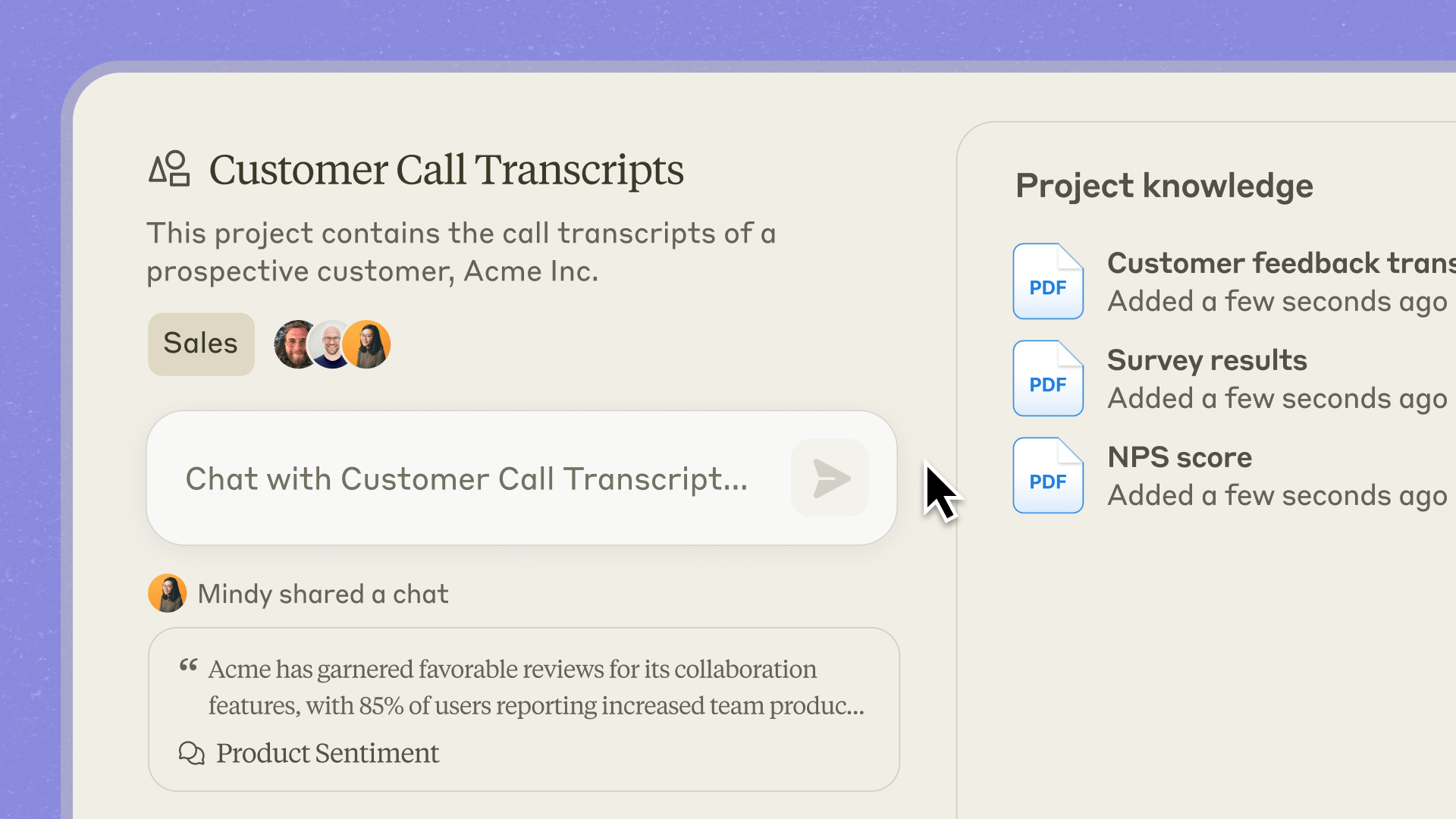
A project on claude.ai. The knowledge panel is not decoration: those files ride along in every conversation inside this workspace.
Four things a project is not
- It is not a folder. Folders organize chats you already had. A project changes the chats you are about to have, because instructions and knowledge load before every message.
- It is not shared by default. A project is private until you invite someone. On Team and Enterprise plans you can share one deliberately, with view or edit rights.
- It is not self-updating. Decisions made inside a chat stay trapped there until someone writes them into the project knowledge. The write-back habit is yours to build.
- It is not infinite on the free plan. Free accounts get five projects. On every plan, large project knowledge can switch to retrieval so the shelf can stretch beyond the normal context window.
Product reference: What are projects? in the official Claude Help Center.
What’s in this section
Project setup
Instructions, knowledge, and the ten minute setup that pays back for months.
Artifacts
When Claude’s answer becomes a thing: documents, diagrams, and working apps.
Handoffs
Publishing, sharing, and moving work to people who were not in the chat.
Lab: One project, one artifact
Create a simple Project, add a short brief and one file, then ship a reusable Artifact.
Quiz: Projects & Artifacts
Ten instructor-led questions before you leave this section.