

The mail room
Six parcels on the desk, six ways to send them. Your organization runs Claude on an Enterprise plan. Route each parcel, and read the stamp on the ones you miss, because the misses are where the rules live.The dialogs behind the stamps
Each route in the mail room is a real control in the product. Two of them look nearly identical and behave completely differently, so here they are side by side.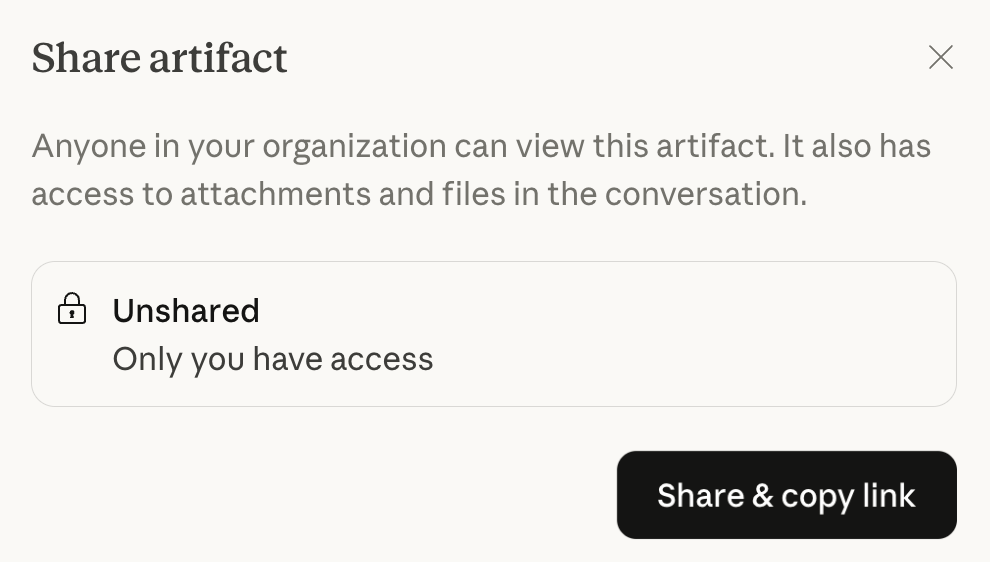
Team and Enterprise: sharing stays inside the organization. Viewers must be signed in to your workspace, and the chat behind the artifact stays private.
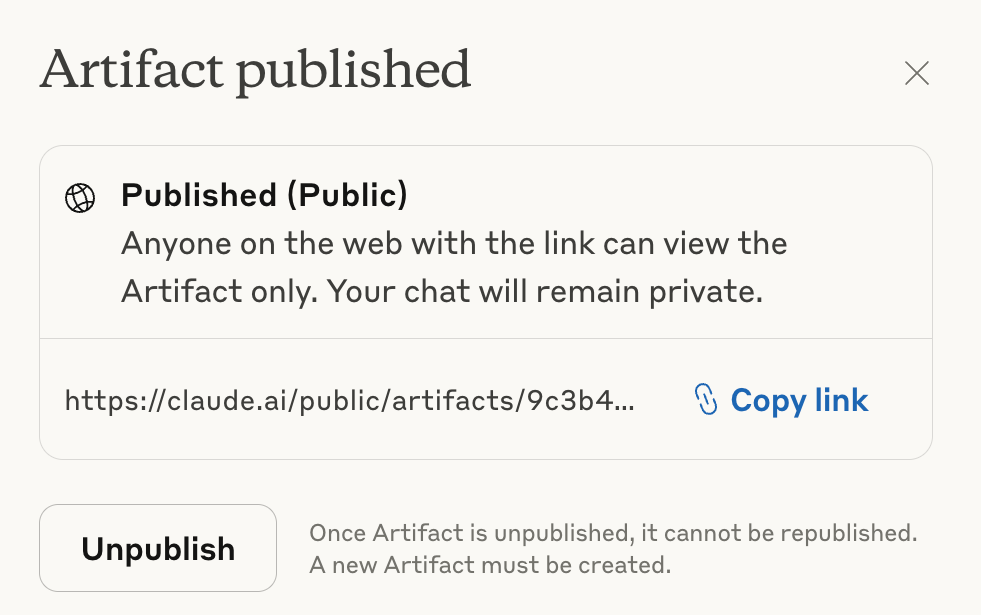
Free, Pro, and Max: publishing makes a public page anyone on the web can open. Read the fine print by the Unpublish button. It is one-way.
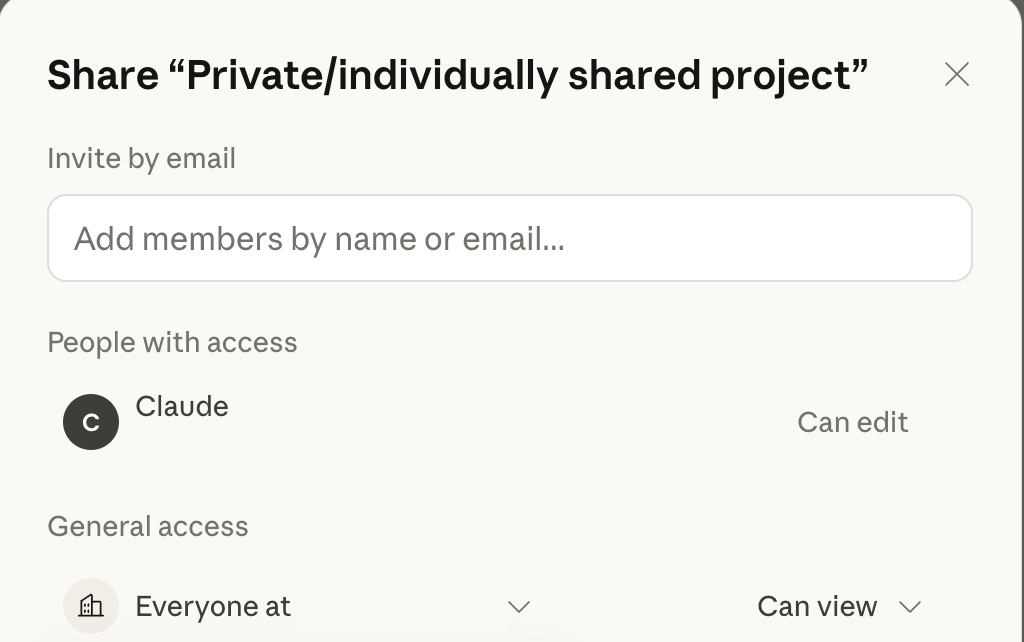
Can view lets someone chat with the project's knowledge and instructions. Can edit lets them change the setup itself. That one word is the difference between lending a tool and handing over the workshop.
The durability ladder
Not all handoffs age the same. Here is the same piece of work handed off five ways, ranked by what survives.A flat copy with no versions and no context. Wrong by next week, and nobody can ask it questions.
The reasoning is visible but the reader has to excavate it. Nothing about it improves or updates.
The thing itself, interactive, at the exact version you chose. The mess behind it stays private.
Knowledge, instructions, and history included. The next person does not start over, they continue.
One line in a decisions file is inherited by every future chat, every future teammate, and every future you.
Handing off to yourself
The most frequent recipient of your handoffs is you, three weeks from now, with none of today’s context loaded. Treat future you like a teammate. When a chat settles something, write the decision into the project’s knowledge before you close the tab. When a stray conversation turns out to belong to a workstream, move it into the project so its context lands where the work lives. Projects even keep separate memory per workspace, so what you teach the Atlas project stays with the Atlas project.Rules stamped on the wall
- Publishing pins the version you selected. Keep editing afterward and the public page does not move. Republish deliberately when the new version is ready.
- Unpublishing is permanent for that artifact. The dialog is not bluffing: to share again, you create a new artifact.
- Organization plans do not publish publicly, full stop. The boundary of every share is the org. For an outside recipient, export or download the file and send it like a grown-up attachment.
- Sharing a project shares the container. Knowledge files, instructions, and project contents come with the invitation, so read the shelf before you open the door.
- Archiving a shared project does not revoke anyone’s access. Members, roles, and knowledge all come back exactly as they were when it is unarchived. Remove people explicitly if you mean to.
Product references: Publish and share artifacts and Manage project visibility and sharing in the official Claude Help Center.