

The blast radius
Five actions, five radii. Pick one and watch how far it carries. Two patterns worth noticing. On Team and Enterprise plans the radius is capped: chat links and artifacts stop at the edge of your organization. They cannot be published to the open web from those accounts. The outermost ring only appears when a consumer-plan share link is posted somewhere a crawler can reach.A share link is a photograph
The single most misunderstood thing about sharing is time. A share link is not a window into your chat. It is a photograph of it, taken at the moment you click. Step through what that means. Three details complete the picture. Files you attached to the chat are never in the photograph, only the conversation and Claude’s responses. Artifacts made before the click are included. And unsharing then resharing takes a fresh photograph, new messages and all.Where the paper trail lives
On Free, Pro, and Max plans, every shared chat is listed in one place, with an unshare button next to each entry. It is worth knowing this screen exists before you need it.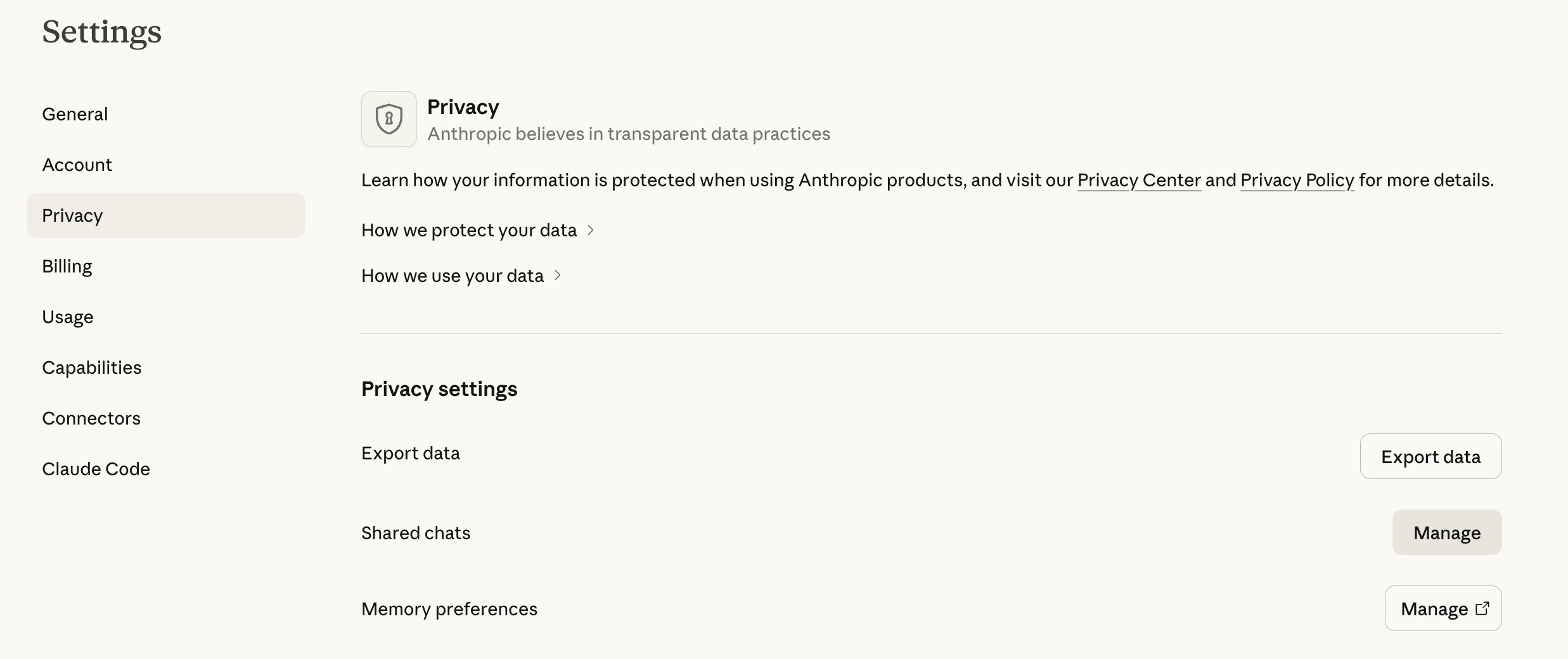
Settings, then Privacy. The Shared chats row keeps the log.
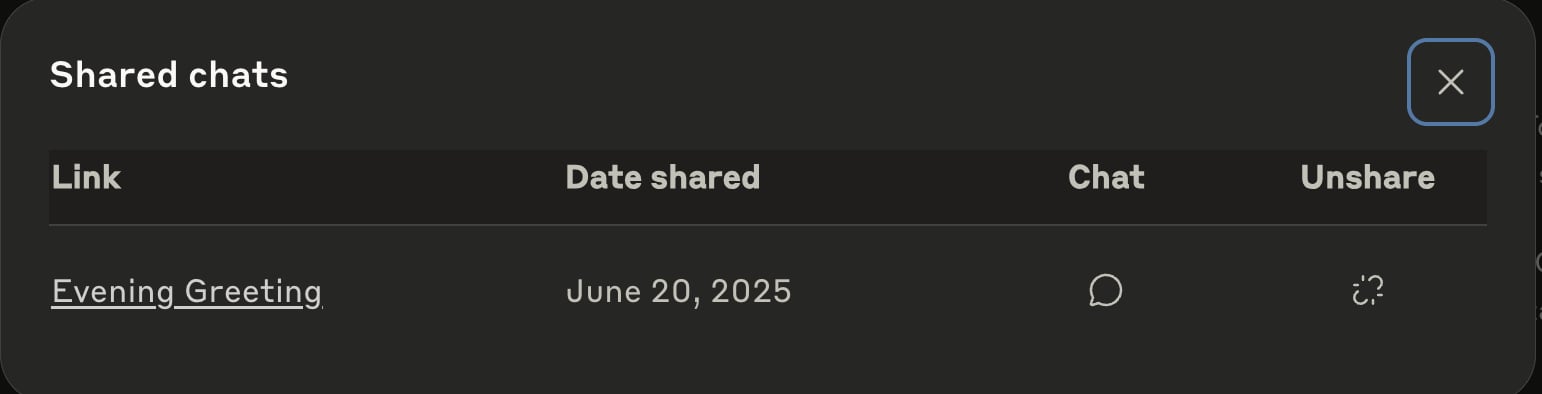
The log itself: every live link, when it was shared, and unshare.
When a share link meets a crawler
Search engines already surface individualclaude.ai/share pages. That is expected behavior for a public URL, not evidence of a breach. A snapshot becomes discoverable when someone posts its link on a forum, social feed, webpage, or anywhere else search crawlers can walk.
The lesson is a single sentence: a public share link is public web content. A link sent privately is hard to discover by guessing, but anyone who receives it can open it. Once the link appears on a crawlable page, a search engine can index it like any other URL. Unsharing stops new visits, but it cannot recall copies or caches already made.
What leaves the session
Sharing is the loud channel. The quiet question is what leaves your session when you share nothing at all. Line by line:The conversation is in the snapshot. The files you uploaded are not, ever.
Raw results from Drive, Notion, your inbox, or an MCP tool stay hidden in shared snapshots and feedback reports. Anything Claude repeats in a visible response can still travel with that response.
When Claude searches for you, the query goes out to the search infrastructure. Do not put secrets in a question that needs the web to answer.
Claude sees pages by screenshotting the tab it works in. Whatever is visible in that tab becomes part of the conversation.
Pressing either sends the whole conversation to Anthropic, stored up to five years, de-linked from your identity. Org owners can disable the buttons.
On: eligible new or resumed chats can improve future models, and de-identified training data may be kept for up to five years. Off: chats are not used in future training runs. Either way, chats stay in your history until you delete them; deletion clears back-end storage within thirty days.
Ordinary inputs and outputs are not used for training by default. Saved chats remain until you delete them. Enterprise owners can set a custom retention period, with a thirty-day minimum.
The sixty-second audit
Worth doing once now, and again whenever you change roles or plans.- Open Settings, then Privacy, and click Manage next to Shared chats. Unshare anything you no longer want live.
- On the same screen, check the model training toggle and make it a decision instead of a default. Turning it off stops future training use, but it does not delete your chat history.
- Open Settings, then Connectors, and disconnect anything you stopped using. Every connector is standing permission to read.